ScreenHole
macv1.0.0
"Screen recorder with you in it."
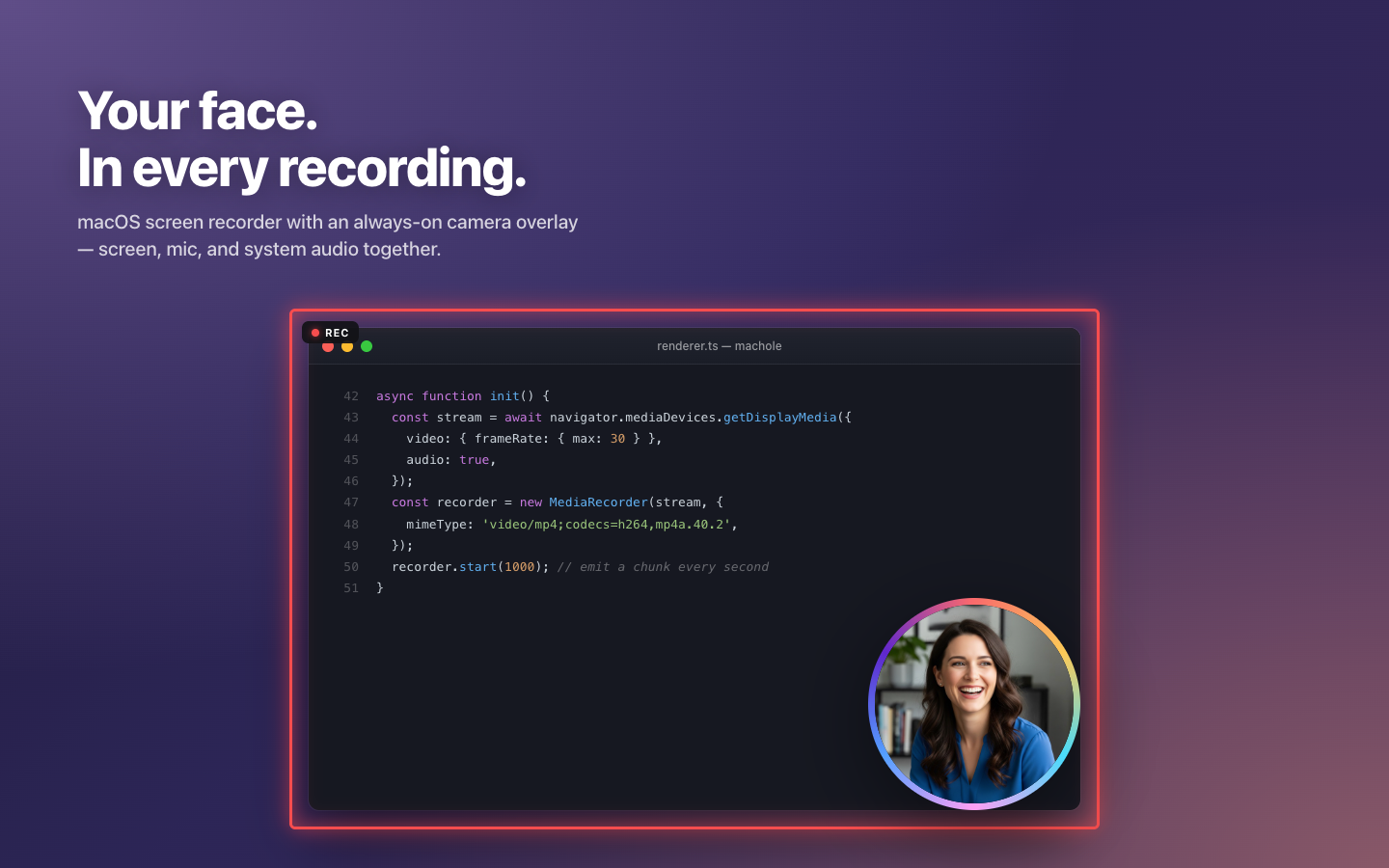
ScreenHole records your screen with your face baked in. A small circular camera overlay floats above every other window, so when you record a tutorial, demo, or async update, viewers see what you're doing AND who's doing it — no post-production, no awkward picture-in-picture, no fighting with OBS. Capture a full display, a single window, or a drag-selected area, with microphone and system audio mixed in automatically.
What's in it
- Always-on circular camera overlay with five gradient themes and three sizes.
- Record a full screen, a single window, or a drag-selected area, with a 3-2-1 countdown.
- Microphone plus system audio mixed into one .mp4, saved wherever you choose.
- On-device background blur, auto-frame, and close-up framing — nothing leaves your Mac.
- Persistent controls panel with global shortcuts: ⌘⇧R record, ⌘⇧P pause, ⌘⇧M mute, ⌘⇧E camera.
- Zero accounts, zero analytics, zero telemetry — designed for the Mac App Store sandbox.
Pricing:$29.99 once-off — lifetime license on the Mac App Store
System requirements:macOS 13.0 Ventura or later (Apple Silicon & Intel)
Released:May 2026
ScreenHole — App Store screenshots1 / 4